
Epson printer ink guide for cartridges, EcoTank bottles, and page yield
What Epson printer ink means for different printer types
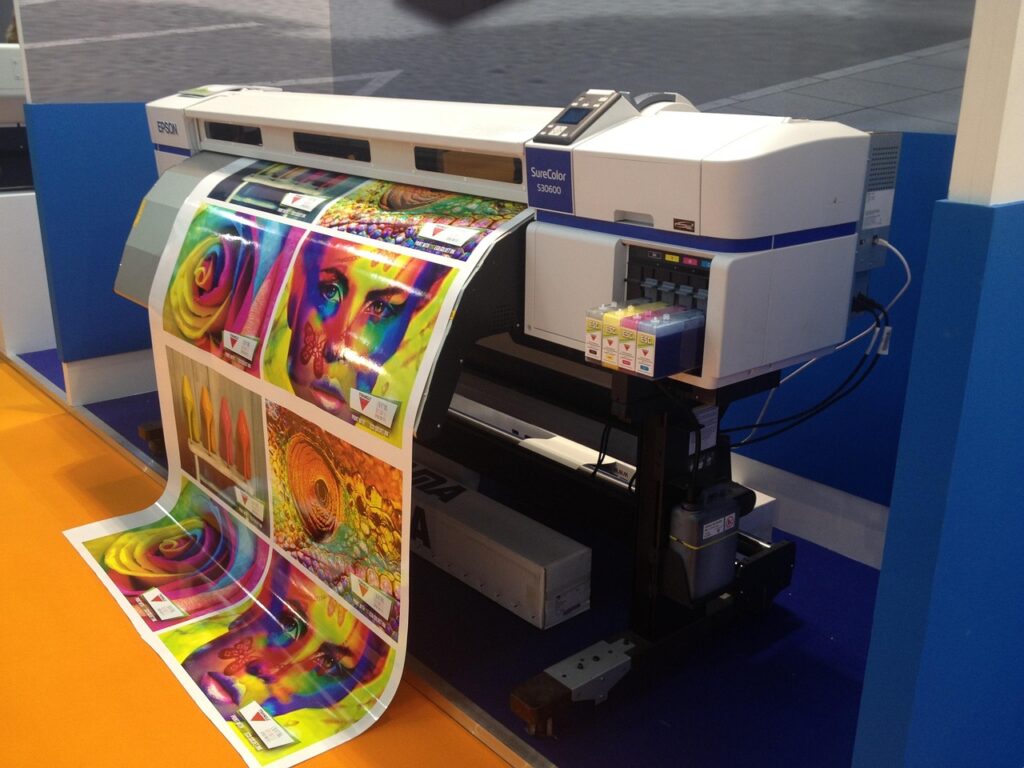
Epson printer ink is not a universal supply. The correct ink depends first on the exact printer model, then on the ink family, color set, capacity, and whether the machine uses cartridges, refill bottles, or business ink packs. For most buyers, the safest route is to search by printer model or ink code, compare the stated page yield, and check whether the printer requires all colors to be installed before it will print. Epson’s support and product materials separate cartridge-based printers from EcoTank models because EcoTank machines use refillable tanks and keyed bottles rather than conventional cartridges. For broader stationery and printing supply topics, see our inks archive.
The buying question is not only whether genuine Epson ink, compatible ink, or refilled ink costs less at checkout. It is which option carries the least risk for the work being printed: occasional documents, daily office pages, classroom handouts, labels, graphics, or photos. Ink performance can vary with paper, temperature, humidity, print settings, and how often the printer is used.
How to identify the correct Epson ink
The most reliable starting point is the printer’s full model number. Epson model names can look similar, but a similar name does not mean the same ink will fit or perform correctly. An EcoTank ET-series printer may use bottles such as 502, 522, 542, or another ink family, while a WorkForce or Expression cartridge model may use numbered cartridges instead. Some business and wide-format printers use larger ink packs or cartridges, and photo printers may use more than four colors.
A practical identification process has four steps:
- Find the complete printer model. Check the front panel, rear label, printer software, or original box. Do not rely on a partial name such as “Epson WorkForce” or “EcoTank.”
- Match the supply family. Confirm the ink code shown in the manual, on the old cartridge or bottle, or in the printer’s supply screen.
- Check each color separately. Black, cyan, magenta, and yellow may share a family number but use different suffixes or SKUs. Photo models may also use light cyan, light magenta, gray, photo black, or matte black.
- Confirm regional compatibility. Ink codes can vary by region. A code used in North America may not be identical to the code sold for a similar-looking model in another market.
This model-first approach matters because ink is part of the printer system. The cartridge chip, bottle keying, ink formulation, printhead design, and firmware all influence whether the supply is recognized and whether output remains stable.
Cartridges, EcoTank bottles, and ink packs compared
Epson sells several types of ink supplies. They are easy to confuse because shoppers often use “cartridge,” “ink,” and “refill” as general terms. In Epson’s current product language, however, a cartridge printer and an EcoTank printer are different ownership models.
| Ink format | Typical Epson printer type | Main advantage | Main limitation |
|---|---|---|---|
| Ink cartridges | Many Expression, WorkForce, and photo inkjet printers | Simple replacement and compact packaging | Lower capacity than tank systems in many home and small-office use cases |
| EcoTank ink bottles | EcoTank and some Supertank models | High-capacity refilling and lower refill frequency | Requires careful matching of the bottle family and tank color |
| Ink packs or large cartridges | Selected business, professional, and wide-format printers | Higher-volume supply for heavier workloads | More model-specific and often more expensive per supply unit |
EcoTank is especially important in searches for Epson printer ink because many buyers compare the printer’s up-front price with its long-term ink cost. Epson’s EcoTank materials describe the system as cartridge-free and emphasize high-capacity tanks. That does not mean every EcoTank uses the same supply. A basic home EcoTank, a monochrome EcoTank, a photo-focused EcoTank, and a business EcoTank can require different bottles and different color sets.
Cartridge printers can still be a reasonable fit for low-volume users who want a lower initial hardware cost, a compact device, or a specific photo or office feature. Tank printers usually make more sense when the user prints often enough to benefit from larger ink reservoirs. Print volume is the deciding factor: a household that prints a few forms a month has a different cost profile from a tutoring office, church office, craft seller, or small business producing daily handouts and shipping paperwork.
What page yield numbers can and cannot tell you
Page yield is useful, but it is not a promise that every user will print exactly that number of pages. The international standard ISO/IEC 24711 covers a method for determining ink cartridge yield for color inkjet printers and multifunction devices that include inkjet printer components. ISO’s description also sets an important boundary: the method concerns page yield on plain paper, not a broad claim about print quality, reliability, photo performance, or every real office printing pattern.
Epson’s own ink-yield explanations make the same practical point. Stated yields can vary with the images printed, print settings, temperature, humidity, and whether printing is infrequent or heavily weighted toward one color. Epson also notes that all ink colors are used for printing and printer maintenance, and that all colors generally need to be available for printing. That is why a user who prints mostly black text may still see color ink levels decline over time.
When comparing Epson ink options, read yield numbers in context:
- Document pages are not photo pages. A full-color photo uses far more ink than a typical text page.
- Draft, standard, and high-quality modes differ. Higher-quality settings usually apply more ink or use more passes.
- Maintenance consumes ink. Nozzle checks, head cleaning, startup routines, and long idle periods can affect remaining ink.
- Included starter ink may not equal replacement yield. Some printers use part of the initial ink during setup and printhead charging.
- Yield is a comparison tool, not a receipt. It helps compare supplies under a defined method, but actual use can be higher or lower.
A better buying calculation is cost per expected page, not simply cost per box. Divide the supply price by the published yield, then adjust the expectation for the type of work being printed. For mixed office documents, the published figure may be a useful comparison point. For dense graphics, classroom worksheets with images, labels, or photo paper, real-world yield will usually be lower.
Genuine, compatible, and refilled ink choices
Most Epson ink buyers eventually compare genuine Epson ink with compatible or refilled alternatives. The difference is not only branding. Genuine ink is designed for a defined Epson printer family and is the supply Epson references in its manuals, yield information, and warranty language. Compatible ink is made by a third party to fit a printer or ink family. Refilled ink reuses a cartridge or relies on a refill process outside Epson’s standard supply chain.
Epson’s support materials commonly recommend genuine Epson ink and warn that non-Epson ink, or ink not specified for a printer, may cause damage that is not covered by Epson’s warranties. That does not prove every third-party ink will fail, and it does not mean every buyer should make the same decision. It does mean the buyer should separate three issues: recognition by the printer, print quality, and long-term reliability.
For occasional home documents, some users focus mainly on price. For business documents, customer-facing materials, shipping labels, school packets, or archived records, consistency may matter more than the lowest supply price. For photos and design proofs, color accuracy and paper compatibility become even more important. If a print job needs to look the same next month as it does today, changing ink sources can add an avoidable variable. See also: Gift Guide.
Cartridge printers also have a firmware and chip-recognition dimension. Some Epson manuals state that firmware updates may affect third-party ink functionality. This is one reason compatibility reviews can be inconsistent: a cartridge that worked for one user on one firmware version may not behave the same way for another user later.
Storage and maintenance habits that protect ink performance
Ink problems are not always caused by the ink supply itself. Storage, printer idle time, paper dust, humidity, and repeated cleaning cycles can all affect output. Epson manuals for cartridge printers often advise using an opened cartridge within six months for best printing results. Unopened cartridges should not be used after the date printed on the package. These are practical quality guidelines, not abstract fine print.
For everyday users, the following habits help reduce avoidable waste:
- Store ink in its original packaging until needed. This protects labels, caps, and contacts from dust and handling damage.
- Keep supplies at normal room conditions. Avoid hot cars, freezing storage areas, damp basements, and direct sunlight.
- Do not open cartridges or bottles early. Open ink only when the printer is ready for replacement or refilling.
- Print periodically. Inkjet printers generally perform better when used regularly, especially in color.
- Use nozzle checks before heavy cleaning. Cleaning consumes ink, so confirm the problem before running repeated cycles.
- Match paper to the job. Plain paper, presentation paper, and photo paper absorb ink differently and can change perceived sharpness and color.
If print quality declines, start with the printer’s built-in maintenance tools rather than replacing ink immediately. A nozzle check can show whether missing lines point to clogged nozzles. If the pattern has gaps, the printer’s guided head-cleaning process may help. Repeated cleaning should be used carefully because it consumes ink and can contribute to maintenance box or waste-ink capacity on models that track it.
A practical buying checklist for Epson printer ink
Before buying Epson printer ink, use this checklist to reduce mistakes:
- Confirm the exact printer model and do not assume similar models use the same supply.
- Check whether the printer uses cartridges, bottles, or ink packs.
- Buy the complete color set when needed, especially if one color is low and the printer requires all colors for operation.
- Compare standard and high-capacity options. Higher-capacity cartridges may cost more upfront but can reduce replacement frequency.
- Read yield notes, not only headline numbers. Look for whether the yield is based on ISO methods, Epson methodology, or a manufacturer’s own estimate.
- Consider your printing pattern. Infrequent use, photo printing, dense graphics, and single-color-heavy printing all change the economics.
- Avoid mixing uncertain ink sources if color consistency, warranty confidence, or business reliability matters.
- Keep one spare supply, not a stockpile. Ink has shelf-life and storage considerations, so buying too far ahead can be wasteful.
The best value is usually the supply that matches the printer precisely, fits the real print volume, and avoids preventable maintenance problems. For a high-volume home office, that may favor an EcoTank bottle system. For a low-volume household, a cartridge printer with carefully chosen replacements may still be adequate. For photo or client-facing output, stable ink and paper combinations matter more than small savings per refill.
Frequently asked questions
Can I use any Epson ink in any Epson printer?
No. Epson ink is model-specific. A bottle or cartridge with the Epson brand is not automatically correct for every Epson printer. Always match the exact printer model and ink code before buying.
Why does color ink run down when I mostly print black text?
Inkjet printers may use color ink for maintenance, printhead servicing, and some black or grayscale output processes. Epson’s yield information also notes that all colors are used for printing and maintenance, so color levels can decline even with mostly black printing.
Are EcoTank bottles cheaper than cartridges?
EcoTank replacement bottles are designed for high-capacity refilling and can reduce refill frequency for users who print regularly. The total value depends on printer price, print volume, replacement bottle cost, and how much ink is consumed by actual documents and maintenance.
Should I buy compatible Epson ink?
Compatible ink may lower the immediate purchase price, but it can introduce uncertainty around recognition, color consistency, clogging risk, and warranty coverage for damage related to non-specified ink. It is a risk decision, not just a price decision.
How long should I keep Epson ink after opening?
For many cartridge models, Epson manuals advise using opened cartridges within six months for best printing results. Storage conditions also matter: keep ink sealed until needed and avoid heat, freezing conditions, moisture, and direct sunlight.


