Which Acer Notebook Is Best for Work, Study, and Everyday Buying in 2026?

An acer notebook can be a low-cost Aspire for home tasks, a light Swift for travel, a TravelMate for company use, a Chromebook for school, or a Nitro for games after work. If you are checking several laptops for daily use, the notebook section can help you keep the shortlist in one place before you place an order.
The hard part is not finding an Acer laptop. The hard part is choosing the right one without paying for parts you will not use much. Acer covers many price levels, so two models with close names may feel very different after a week of use. This guide keeps to the buying points that matter: what to check first, what looks good on a product page but matters less, and where public data gives a useful sign of the market.
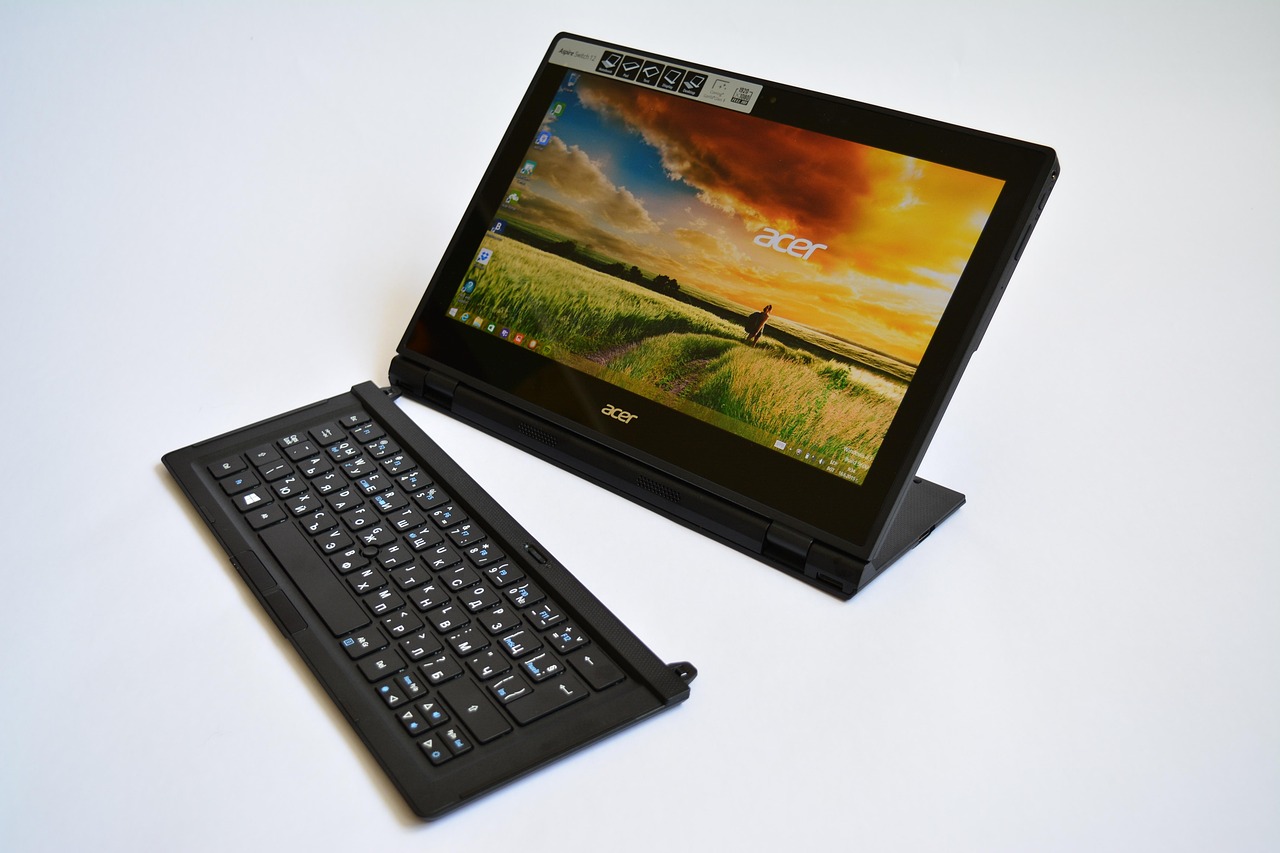
Why Is an Acer Notebook Still a Serious Buy in 2026?
Acer still gets attention because it serves the middle part of the laptop market well. Buyers can find slim Windows models, school Chromebook options, business laptops, and gaming notebooks without moving straight to high-end pricing. This wide range is also why Acer is often compared with Lenovo, HP, Dell, ASUS, and Apple.
Price-to-Spec Balance
For many buyers, the reason to check Acer is quite simple: the hardware list is often strong for the price. A midrange Acer notebook may come with 16GB of memory, a 512GB SSD, Wi-Fi 6 or Wi-Fi 7 on newer models, and a 14-inch or 16-inch display that works well for office jobs.
That setup is useful if your day is full of browser tabs, spreadsheets, video calls, and cloud apps. It is not about buying the biggest number on the page; it is about getting enough speed and storage for normal work without wasting budget.
Broad Model Choice
Acer’s lineup does not follow one single style. Aspire is aimed at daily users, Swift is built around easy carrying, TravelMate is for business buyers, Chromebook models suit schools and cloud-first users, and Nitro is made for gaming or creator work.
This choice is useful, but it can also confuse buyers who only look at the Acer name. Start with the work you need to do, then pick the series, and only after that compare the final specs.
Market Data with Real Context
Gartner reported in January 2026 that worldwide PC shipments passed 270 million units in 2025, up 9.1% from 2024. In the same preliminary data, Acer shipped about 16.96 million PCs in 2025 with a 6.3% worldwide share.
Gartner also reported in April 2026 that Acer held a 6.4% share in Q1 2026. This does not mean Acer is the largest brand, but it does show that Acer remains a large global PC vendor, not a small fringe choice.
Which Acer Notebook Series Fits Your Daily Work?
The best Acer notebook depends on what you open at 9 a.m. and what is still running at 4 p.m. A laptop for email and invoices should not be judged like a laptop for 3D games. A student carrying a device between classes also needs something different from a desk-based bookkeeper.
Aspire for Home and Office Basics
Aspire models are usually the safe starting point for everyday Windows use. They make sense if your day includes documents, web research, email, online meetings, light photo edits, and streaming.
A practical Aspire configuration in 2026 should have at least 16GB of RAM and a 512GB SSD if the budget allows. An 8GB RAM model can still handle light jobs, but browser tabs build up quickly. Everyone says they will close tabs. Most people do not.
Swift for Portable Productivity
Swift models fit buyers who move often and care about weight, battery life, and a clean design. Acer’s official Swift Go and Swift AI pages point to thin builds, AI PC options, and newer connection options on selected models.
If you commute, work in cafés, or take notes in meetings, a 14-inch Swift often feels easier to carry than a 16-inch machine. Before buying, check screen brightness and the port list, because slim laptops sometimes give up ports to save weight.
TravelMate for Business Use
TravelMate is the series to check when the laptop is a work tool, not just a personal device. Acer’s official TravelMate P4 13 page lists a magnesium-alloy chassis, 16:10 Full HD display options, MIL-STD-810H testing, up to 32GB LPDDR5 memory on selected models, and business features such as camera privacy and noise reduction.
Those details matter for sales staff, managers, and field users who travel, present, and join calls in rooms that are not always quiet. For company buying, these small work features can matter more than a slightly faster benchmark score.
What Specs Should You Check before Buying?
Spec sheets can get messy fast. A cleaner way is to check five things first: processor class, memory, storage, display, and ports. After that, look at battery claims, webcam quality, keyboard layout, and warranty terms. The best choice is not always the model with the highest number in every row.
Processor and AI PC Readiness
For normal office work, a recent Intel Core, AMD Ryzen, or Qualcomm Snapdragon laptop can feel quick enough if the memory and SSD are right. For AI-focused Windows features, Microsoft Learn states that Copilot+ PCs use a Neural Processing Unit capable of more than 40 TOPS.
Gartner forecast in August 2025 that AI PCs would reach 31% of the global PC market by the end of 2025 and 54.7% in 2026. If you keep laptops for four or five years, an AI-ready Acer notebook may last better than a cheap model with older silicon.
Memory and Storage Choices
For Windows, 16GB RAM is the practical comfort point in 2026. It helps when Chrome tabs, Teams or Zoom, Excel, and light creative work are all open at the same time.
Storage is easier to judge: 512GB is a good baseline, while 1TB is better for games, photos, local videos, or fieldwork files. On some thin laptops, memory is soldered, so buy the RAM you may need later, not only the RAM that keeps today’s cart total lower.
Display, Keyboard, and Ports
A 16:10 display gives more vertical space than older 16:9 panels, which helps when reading reports or editing documents. Matte panels also cut glare in bright rooms, and that is useful in offices, classrooms, and shared work areas.
A backlit keyboard is not a luxury feature, but you will miss it on a late train or at a dim hotel desk. For ports, look for at least one USB-C with charging support, USB-A if you still use older accessories, HDMI if you present often, and a headphone jack if calls are part of your day.
Is an Acer Notebook Good for Students and Remote Work?
Students and remote workers need solid basics more than fancy extras. A good webcam, stable Wi-Fi, quiet fan behavior, and a battery that can handle a real afternoon are often more useful than a small benchmark gain. For school buyers, durability and device management also matter.
Chromebook Value for Classrooms
Acer Chromebook models can be a good fit for younger learners, cloud-first schools, and simple web work. Acer’s official Chromebook Spin 311 page lists a MediaTek Kompanio 528 processor, up to 8GB LPDDR4X memory, 64GB eMMC storage, Wi-Fi 6, and MIL-STD-810H certification on that education model.
That is not a video editing machine, and it should not be bought as one. It is made for class portals, writing, web tools, and daily handling by students who may not treat a laptop like glass. See also: Gift Guide.
Windows Flexibility for Mixed Tasks
If you need desktop Microsoft Office, accounting tools, Windows-only school software, or local apps, choose a Windows Acer notebook instead of a Chromebook. Aspire and Swift are the common choices for this type of user.
For a college student, a 14-inch Windows laptop with 16GB RAM and 512GB storage is a good middle lane. It is not too heavy, not too cramped, and not too limited for mixed school and personal use.
Video Calls and Battery Habits
Remote work shows weak webcams and loud fans very quickly. Look for Acer models with a 1080p or higher webcam, noise reduction, and a physical privacy shutter if possible.
Battery ratings come from controlled tests, so use them for comparison, not as a promise. If a product page says up to 10 or 11 hours, a normal day with video calls, a bright screen, and many tabs may come in lower.
How Does Acer Compare with Premium and Gaming Laptops?
Acer can compete well, but it does not win every category. Some premium ultrabooks have better speakers, brighter screens, or tighter metal bodies. Some gaming laptops may offer higher wattage GPUs. The better question is whether a specific Acer notebook gives enough quality for your task and price.
Swift versus Thin Premium Models
A Swift model can be a sensible buy if you want a slim Windows laptop without paying for a top luxury brand. Compare screen brightness, battery size, keyboard feel, and weight before you choose.
If you write all day, the keyboard matters more than a small processor bump. If you work outdoors or near windows, brightness matters more than a nicer color name printed on the box.
Nitro versus Casual Gaming Needs
Nitro models are for buyers who need graphics power for games, 3D work, or GPU-heavy creative tasks. Acer’s official Nitro V 15 specification page for one configuration lists an Intel Core i9-13900H processor, NVIDIA GeForce RTX 5060 Laptop GPU, 16GB RAM, 1TB PCIe NVMe storage, a 15.6-inch Full HD 165Hz display, and a weight of about 4.66 lb.
That kind of machine is powerful, but it is heavier and louder than a Swift. If you only play casual games twice a month, be honest before you carry that extra weight every day.
TravelMate versus Business Fleets
TravelMate competes with business lines from Lenovo, HP, and Dell by focusing on manageability, durability, ports, and security. On selected models, you will see features such as TPM, fingerprint readers, privacy shutters, Thunderbolt ports, and MIL-STD-810H testing.
Public failure-rate data by Acer series is not reliably available, so be careful with claims that one series is always more durable based only on forum stories. For fleet buying, warranty terms, service access, and local support usually give a clearer picture.
What Buying Mistakes Should You Avoid?
A laptop mistake often starts with one tempting number: the lowest price, the biggest SSD, the fastest chip, or the biggest discount label. Take ten minutes and check the full machine. A notebook is a daily tool, and small annoyances become hard to ignore after a few months.
Chasing the Lowest Price
The cheapest Acer notebook may be fine as a spare home device, but it can feel tight if it has low memory, a small drive, or a dim screen. If your budget is strict, cut extras before cutting RAM.
A slightly older processor with 16GB RAM often feels better in daily work than a newer chip stuck with 8GB. This is especially true for buyers who keep many browser tabs and office apps open at the same time.
Ignoring Repair and Upgrade Limits
Thin models may have soldered memory, limited internal access, or fewer ports. That is common in modern laptops and is not only an Acer issue.
Before purchase, check whether RAM is upgradeable, whether the SSD can be replaced, and what the warranty covers in your region. A design that is easier to service can save money after the first year.
Forgetting Energy and Lifecycle Costs
ENERGY STAR says certified computers use about 30% to 40% less energy than standard models through efficient components and better power management. That may not sound exciting, but in schools, offices, or homes with several devices, the savings can add up.
Also check packaging, EPEAT registration, and TCO certification when sustainability matters for your purchase policy. These points are easy to miss during price comparison, but they can matter for company purchasing records.
FAQ
Q1: Is an Acer Notebook Good for Everyday Office Work? A: Yes. An Aspire, Swift, or TravelMate with 16GB RAM and a 512GB SSD is a strong everyday office choice for documents, email, web apps, and video calls.
Q2: Which Acer Notebook Is Best for Students? A: A Chromebook Spin can fit younger students and cloud-based schools. A 14-inch Aspire or Swift with Windows is better for college students who need desktop apps.
Q3: Should You Buy an Acer AI PC in 2026? A: If you plan to keep the laptop for several years, an Acer model with Copilot+ PC class hardware and a 40+ TOPS NPU is worth checking. If you only browse and write, it is less urgent.
Q4: Is Acer Nitro Too Heavy for Daily Carry? A: For many commuters, yes. Nitro laptops offer stronger graphics, but they are usually heavier than Swift or Aspire models. Buy Nitro when gaming or GPU work is a real need.
Q5: What Is the Safest Acer Notebook Spec for 2026? A: For most people, choose a recent processor, 16GB RAM, 512GB SSD, a 14-inch or 16-inch 16:10 display, USB-C charging, Wi-Fi 6 or newer, and a good webcam.