Notebook PC vs paper notebook for study, planning and everyday work
What the comparison really means
A notebook PC is the portable computer most people use for research, documents, spreadsheets, meetings and cloud storage. A paper notebook is the physical writing tool used for thinking, planning, sketching and reviewing ideas without a screen. The practical choice is not simply digital versus paper. It is about matching the tool to the task.
If the work depends on search, collaboration, software, files, video calls or secure operating system updates, a notebook PC is the stronger tool. If the task depends on focus, memory, early idea development, quick diagrams or personal planning, a paper notebook often provides a cleaner working space. For many students, office workers and creators, the most reliable setup is a hybrid one: use paper to capture and shape thinking, then use the computer to store, edit, share and finish the work.
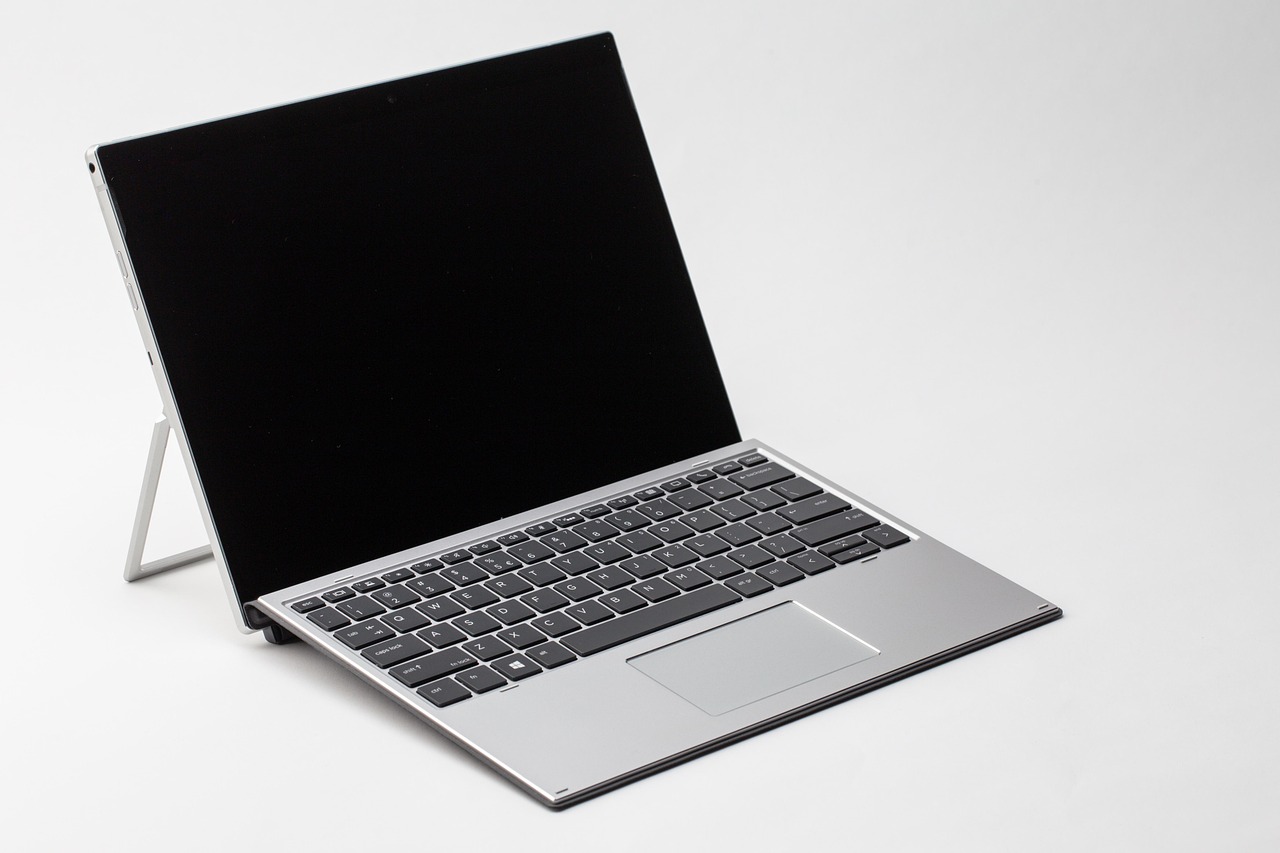
This distinction matters because the phrase “notebook PC” can be confusing on a stationery site. It usually means a laptop-style computer, not a paper notebook. In daily study and office workflows, however, both tools often sit side by side, especially for note-taking, planning and project organization.
Where a notebook PC is clearly stronger
A notebook PC is built for tasks that need processing power, connectivity and editable files. It is the obvious choice when a user needs to produce long documents, manage data, run specialized software, attend online classes, edit media, access learning platforms or collaborate with other people in real time.
The main advantage is not only typing speed. It is the digital environment around the work. Searchable files, version history, cloud backup, screen sharing, templates, spreadsheets and citation tools can make a notebook PC essential for modern study and office use. A typed lecture summary can be reorganized quickly. Meeting notes can become a shared action list. A research outline can link directly to PDFs, slides and datasets.
There is also a security and support issue when choosing an older device. Microsoft’s lifecycle documentation states that Windows 10 version 22H2 reached end of support on October 14, 2025. Buyers comparing used notebook PCs should check whether the device can run a supported operating system or whether it has a clear security plan. This is especially important for school, work and financial tasks.
Energy use is another practical factor. ENERGY STAR’s computer criteria, effective from October 2025, cover notebooks and other computer types and include requirements for efficient operation in Off, Sleep and Idle modes. The same program notes that certified computers are designed to use efficient components and power management. For a notebook PC that may stay open all day, sleep settings, charger efficiency and battery health are not minor details.
- Choose a notebook PC when the output must be digital. Examples include essays, spreadsheets, presentations, coding, shared reports and online submissions.
- Choose it when the work must be searchable. Digital notes are easier to archive, tag, copy and retrieve later.
- Choose it when collaboration matters. Shared documents and meeting platforms are difficult to replace with paper alone.
- Choose it when accessibility tools matter. Screen readers, dictation, magnification and translation tools can make a computer essential.
Where a paper notebook still performs better
A paper notebook is not just a traditional alternative. It offers a different cognitive and practical experience. It opens instantly, does not require charging, does not push notifications and gives the user a fixed physical space for writing, drawing and reviewing ideas.
That matters most in early-stage thinking. A blank page can hold arrows, boxes, rough diagrams, mind maps, margin notes and half-formed phrases without forcing them into software structure. This flexibility is useful for brainstorming, project planning, lesson review, habit tracking and personal reflection.
Research also gives a reason to take handwriting seriously. A 2024 study in Frontiers in Psychology used high-density EEG data from 36 university students and found that handwriting was associated with broader brain connectivity than typewriting during the tested word tasks. A 2024 meta-analysis in Educational Psychology Review also concluded that handwritten notes can be more useful for studying and memory than typed notes in college learning contexts. These findings should not be stretched into a universal rule that paper is always better. They support a more careful conclusion: handwriting can be valuable when the goal is comprehension, encoding and later review, not simply capturing as many words as possible.
Paper also reduces interface friction. There are no app settings, login screens or formatting panels between the idea and the page. For many people, that makes a paper notebook the better tool for morning planning, meeting preparation, reading notes and end-of-day review. A simple setup with dated pages, task boxes and a short index can be enough.
For readers who want to build a stronger analog system, the Notebook section is a useful place to explore paper formats that support planning, study and daily writing.
A practical decision table
The simplest way to choose between a notebook PC and a paper notebook is to look at the next action. If the next action is thinking, sketching or remembering, paper has a strong case. If the next action is editing, sharing, searching or submitting, the computer usually wins.
| Task | Notebook PC advantage | Paper notebook advantage | Practical choice |
|---|---|---|---|
| Lecture notes | Fast typing, searchable files, easy sharing | Better for selective listening, diagrams and memory-focused review | Use paper for core concepts, PC for final summaries |
| Meeting notes | Action items can move into email, calendar or project tools | Less distracting in face-to-face discussions | Use paper during the meeting, PC after the meeting |
| Research | Essential for sources, PDFs, databases and citation tools | Useful for mapping arguments and writing questions | Use both in sequence |
| Daily planning | Recurring reminders and calendar integration | Quick prioritization without notifications | Use paper for top priorities, PC for scheduling |
| Creative drafting | Efficient editing and long-form production | Good for rough ideas, sketches and outlines | Start on paper, finish on PC |
| Data work | Spreadsheets, databases and analysis tools | Limited to rough calculations or planning | Use a notebook PC |
How to build a hybrid workflow
The most useful workflow gives each tool a defined role. Without clear roles, people often duplicate notes, lose paper pages, scatter files across apps or waste time rewriting the same information. A hybrid system should be simple enough to maintain on a busy day.
Use paper for capture and thinking
Use a paper notebook for the first layer of thinking: class notes, meeting notes, questions, diagrams, page sketches, reading reactions and daily priorities. Keep the system light. Date every page. Add a short title at the top. Mark tasks with a consistent symbol. Leave margin space for later comments.
This stage should not aim to look perfect. Its value is speed and clarity. A messy page that helps the user understand the problem is better than a polished template that slows the work down.
Use the notebook PC for storage and production
At the end of the day or week, move only the valuable parts into the computer. This does not mean retyping everything. Transfer decisions, deadlines, key ideas, definitions, source notes and final action items. The paper notebook becomes a thinking surface; the notebook PC becomes the archive and production system.
This approach also helps prevent digital clutter. Instead of saving every passing thought as a file, ideas are filtered first on paper. Only the useful notes become digital records. See also: Gift Guide.
Create a review loop
A hybrid workflow works best when review is built in. Once a week, scan the latest paper pages and ask three questions:
- Which tasks must move into a calendar, project board or document?
- Which ideas are worth developing further?
- Which notes can stay on paper without being digitized?
This review loop is the difference between collecting notes and using them. It also keeps paper notebooks from becoming forgotten storage.
Buying and setup factors people often overlook
Whether choosing a notebook PC, a paper notebook or both, the best tool is the one that fits the real working environment. A powerful laptop with poor battery life may be frustrating for classes. A well-made paper notebook with the wrong ruling may discourage daily use. Small details affect consistency.
For a notebook PC
- Operating system support: Check the support status before buying used or refurbished devices, especially after the Windows 10 support date of October 14, 2025.
- Battery health: A portable computer is only truly portable if the battery still supports the user’s day.
- Keyboard and screen comfort: Long writing sessions depend on key feel, screen brightness, resolution and glare control.
- Ports and wireless reliability: Students and office users may still need HDMI, USB-C, external storage, printers or stable Wi-Fi.
- Repair and longevity: EPEAT 2.0 criteria for electronics include themes such as durability, repair, reuse, replacement components and long-life rechargeable batteries, which are useful factors when comparing devices.
For a paper notebook
- Size: A5 or similar sizes are easy to carry, while larger notebooks are better for diagrams and project planning.
- Binding: Spiral binding lies flat, stitched binding feels cleaner, and disc or ring systems allow page rearrangement.
- Ruling: Lined pages suit writing, grid pages suit technical notes, and dot grid pages balance writing with diagrams.
- Paper weight: Heavier paper reduces bleed-through when using gel pens, markers or fountain pens.
- Page structure: Numbered pages, index pages and date fields make review easier.
Common mistakes when comparing digital and paper notes
The first mistake is treating typing speed as the only measure of note quality. Fast typing can capture more words, but more words do not always mean better understanding. For lectures, interviews and meetings, the better question is whether the notes help the user summarize, decide and act.
The second mistake is assuming paper must be fully digitized. Some notes are temporary. A quick task list, a meeting sketch or a rough reading reaction may do its job without becoming a file. Digitize what needs to be searched, shared or stored; leave the rest on paper.
The third mistake is buying tools before designing habits. A new notebook PC cannot fix a scattered file system. A premium paper notebook cannot fix unclear priorities. Start with the workflow: capture, clarify, store, review and act. Then choose tools that support each step.
The fourth mistake is ignoring distraction. A notebook PC is powerful because it connects to everything, but that is also its weakness. Notifications, browser tabs and messaging apps can break concentration. Paper is limited, but that limitation can be useful when the goal is focused thought.
Frequently asked questions
Is a notebook PC the same as a laptop?
In everyday use, yes. “Notebook PC” usually means a portable personal computer with a built-in screen, keyboard, battery and operating system. Some brands and regions use “laptop,” “notebook” and “notebook PC” with slightly different emphasis, but readers usually understand them as the same broad device category.
Is handwriting always better than typing for learning?
No. Handwriting can support memory and concept processing in some study contexts, but typing is better when speed, accessibility, search, editing or sharing matters. The stronger approach is to use handwriting for understanding and typed notes for organization and final study materials.
Should students use a paper notebook or a notebook PC in class?
It depends on the class. For math, design, language learning and concept-heavy lectures, paper can be very effective. For classes that require online platforms, coding, shared documents or large reading files, a notebook PC may be necessary. Many students benefit from using paper during class and a computer later for organizing, storage and submission.
How often should paper notes be transferred to a computer?
A weekly review is enough for many users. Transfer deadlines, decisions, important ideas and material that must be searched or shared. Avoid retyping every page unless the act of rewriting is part of studying.
What is the simplest hybrid setup?
Use one paper notebook for daily capture and one notebook PC folder or note app for permanent records. Date every paper page, review it once a week, and move only useful items into digital storage. This keeps the system clear without creating duplicate work.
The bottom line
A notebook PC is the better tool for connected, editable, searchable and shareable work. A paper notebook is the better tool for low-friction thinking, memory-focused study, sketching and distraction-free planning. The strongest everyday system usually combines both.
Use paper when you need to think clearly before the work becomes formal. Use the notebook PC when the work needs to be stored, revised, submitted or shared. That division keeps each tool in its strongest role and turns note-taking into a practical workflow rather than a device preference.