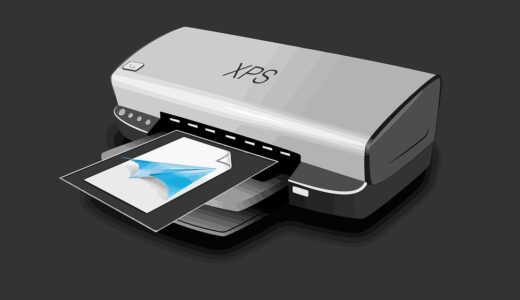
Printers with refillable ink tanks and how to choose one for home or office use

What refillable ink tank printers solve
Printers with refillable ink tanks replace small disposable ink cartridges with built-in reservoirs filled from bottles. For households, classrooms, home offices, and small workgroups, the value is mainly economic: the printer usually costs more upfront, but replacement ink bottles typically produce far more pages per refill than standard cartridges. The category works best when the printer is used often enough to consume the ink before long idle periods create maintenance issues.
The right choice is not simply the model with the largest advertised page yield. Buyers should compare total running cost, document quality, color requirements, maintenance habits, paper capacity, duplex printing, scanning features, warranty terms, and the type of ink used. For related ink and supply topics, see the Inks section.
How printers with refillable ink tanks work
A refillable ink tank printer is still an inkjet printer. Instead of replacing a sealed cartridge when ink runs low, the user opens a tank cover and pours ink from a model-specific bottle into a fixed reservoir. The tanks feed the printhead through internal channels. Most consumer models use separate black, cyan, magenta, and yellow tanks, while photo-oriented models may add extra colors such as photo black, gray, red, or light cyan and light magenta.
The market uses several names for this general design. Epson uses EcoTank, Canon uses MegaTank, HP uses Smart Tank, and Brother has used INKvestment Tank branding for both cartridge-fed reservoir designs and newer bottle-refill designs. Because branding can be confusing, buyers should check the refill method instead of relying on the label alone. A true bottle-fed tank printer should have visible reservoirs and replacement ink bottles made for those tanks.
Many newer tanks use keyed nozzles, color-specific bottle tops, or valves to reduce spills and help prevent filling the wrong tank. Even so, these printers are not maintenance-free. Ink must remain compatible with the printhead, tanks should not be overfilled, and the machine may run cleaning cycles that consume a small amount of ink.
The main cost difference is timing
The most important difference between cartridge and tank printing is when the buyer pays. Traditional low-cost inkjet printers often have a low shelf price, while replacement cartridges create higher ongoing costs. Tank printers reverse that pattern. The machine usually costs more at purchase, but each bottle refill can spread its cost across a larger number of pages.
This is why refillable tank printers make the most sense for steady print volume. A family printing school worksheets, shipping labels, recipes, forms, and occasional photos may recover the higher purchase cost over time. A small office printing invoices, training sheets, draft reports, or color handouts may benefit sooner. A user who prints only a few pages a month may not use enough ink to justify the higher hardware price.
Cost factors buyers often miss
- Initial ink is not always equal to replacement yield. Some ink included in the box may be used for first-time charging of the ink system.
- Page yield is based on test conditions. ISO-style yield figures use defined test documents and do not represent full-page photos, dense graphics, or borderless prints.
- Maintenance uses ink. Cleaning cycles and printhead priming can reduce the amount available for documents.
- Paper cost can exceed ink cost for photos. Glossy photo paper, labels, envelopes, and specialty media change the real cost per finished page.
- Repairs matter. A tank printer may use a fixed or semi-permanent printhead, so repair cost should be considered if the printer will sit unused or be used heavily.
Ink yield claims need careful reading
Manufacturers often publish page-yield estimates for ink bottles. Those figures are useful for comparison, but only when buyers understand their limits. International yield methods such as ISO/IEC 24712 use standard color test pages for office equipment consumable yield. ISO/IEC 24711 covers methods for determining inkjet cartridge yield, while tank-printer makers may adapt these methods because tanks and included starter ink do not behave exactly like removable cartridges.
In practical terms, an advertised yield is a controlled benchmark, not a promise for every home or office. A page of plain text uses far less ink than a full-color classroom poster. A draft invoice uses less ink than a borderless 8 x 10 photo. Frequent small jobs may also trigger more maintenance activity than longer continuous print runs.
| Print pattern | What it means for ink tanks | Buying implication |
|---|---|---|
| Mostly black text | Ink use is usually predictable and economical. | Prioritize pigment black, duplex printing, and paper capacity. |
| Mixed documents with charts | Color tanks will be used regularly but not as heavily as photo printing. | Check color bottle prices and automatic document feeder options. |
| Full-page graphics | Actual yield can be much lower than office-page estimates. | Budget with a conservative page-yield assumption. |
| Photos and borderless prints | Ink and paper use rise quickly, and color accuracy matters more. | Look for photo-focused ink sets and supported photo papers. |
| Very occasional printing | Ink may sit in the printhead for long periods. | Consider whether a laser printer or low-cost cartridge printer is more practical. |
Print quality depends on ink type and printer design
Refillable tanks are often discussed as a cost-saving category, but print quality is just as important. The ink formula, printhead design, paper path, driver settings, and paper type all affect the final result. A basic four-color tank printer can be a strong choice for schoolwork, office documents, and everyday color pages, but it may not match a dedicated photo printer with more ink colors.
Pigment ink and dye ink serve different needs
Pigment ink contains tiny solid particles that sit closer to the paper surface. It is often valued for sharp text, water resistance on suitable paper, and business documents. Dye ink dissolves colorant into liquid and can produce vibrant colors, especially on glossy photo paper, but durability varies by ink and paper combination.
Many home tank printers use pigment black for text and dye-based color inks for graphics and photos. Some office-focused models use pigment inks for more colors. Buyers who print contracts, worksheets, forms, and envelopes should look for crisp black text and reliable plain-paper handling. Buyers who print photos should evaluate color gamut, borderless printing support, photo paper compatibility, and whether the model has additional photo inks.
Speed and convenience are separate from ink cost
A low ink cost does not automatically make a printer productive. Two-sided printing, automatic document feeding, scan-to-computer workflows, mobile printing, replaceable maintenance boxes, and paper tray capacity can matter more than bottle price in daily use. ENERGY STAR imaging-equipment criteria also emphasize power management and duplex-related features, so energy settings are worth checking when a printer will remain on all day.
When a tank printer is a good fit
Printers with refillable ink tanks are strongest when the user prints regularly and wants predictable ink spending. They are especially practical for families with school-age children, students who print reading packets, home businesses that print invoices and labels, and small offices that need color without laser-printer toner costs.
A tank model may be a good fit if most of these statements are true:
- You print every week or at least several times per month.
- You expect to print hundreds or thousands of pages over the life of the machine.
- You need color documents often enough that cartridge replacement feels expensive.
- You are willing to pay more upfront for lower refill costs later.
- You can use the manufacturer-recommended ink type and avoid random ink mixing.
- You want visible ink levels and fewer emergency cartridge purchases.
Tank printers are less suitable for buyers who rarely print, need only black-and-white text, or cannot tolerate inkjet maintenance. A monochrome laser printer may be simpler for users who print infrequently but need sharp text on demand. A cartridge inkjet may still be reasonable for very low-volume users who want the cheapest initial purchase and accept higher refill prices. See also: Gift Guide.
Maintenance and refill habits affect long-term value
The savings from a tank printer depend on keeping it healthy. Inkjet printheads contain very small nozzles. If a printer sits unused for too long, ink can dry near the nozzle area and cause banding, missing colors, or cleaning cycles. Printing a small color document periodically can help keep ink moving, although exact maintenance guidance should follow the printer manual.
Refilling is usually straightforward, but it still requires care. Use ink made for the specific model or series, confirm bottle numbers before opening, and close caps promptly. Do not top off tanks with unknown ink, because different formulas can affect color, flow, drying behavior, and printhead reliability. If a bottle uses a keyed or valved top, forcing it can damage the fill port or cause leaks.
Practical refill checklist
- Check the printer display or visible tank level before opening any bottle.
- Match the bottle code and color to the tank label.
- Place the printer on a stable surface and protect the surrounding area.
- Fill slowly and stop at the indicated line rather than overfilling.
- Close the tank cap, wipe any accidental drops, and store remaining ink upright if the bottle is resealable.
- Run only the cleaning or alignment routines recommended by the printer, because repeated cleaning can waste ink.
What to compare before buying
A good buying decision starts with print behavior, not brand loyalty. Estimate the number of pages you print in a month, separate black text from color pages, and identify special media such as photo paper, labels, envelopes, or cardstock. Then compare printers by the features that support those jobs.
- Monthly print volume: Choose a printer designed for your actual workload, not only the lowest bottle cost.
- Ink set: Four-color systems are common for general use; extra-color systems are better for photo-focused work.
- Black ink type: Pigment black is useful for sharp plain-paper text.
- Paper handling: Look at tray capacity, rear feed support, envelope handling, and duplex printing.
- Scanner features: An automatic document feeder is valuable for office paperwork, but not every tank printer includes one.
- Connectivity: Wi-Fi, Ethernet, USB, mobile printing, and compatibility with school or office devices should be checked before purchase.
- Service parts: Replaceable maintenance boxes, printhead availability, and warranty terms can affect long-term ownership.
- Space and access: Make sure the tank doors, paper tray, and scanner lid fit the desk or shelf where the printer will be used.
The best value usually comes from matching the printer to a realistic use case. A compact family printer does not need the same paper tray as a small office model. A photo hobbyist should not judge only by document yield. A business user should not sacrifice duplex printing or scanning just to save a little on the purchase price.
Environmental considerations are real but not absolute
Refillable tanks can reduce the number of small cartridges a user buys and discards, which supports the waste-reduction idea of preventing material use before recycling becomes necessary. However, a tank printer is not zero-waste. Ink bottles, packaging, absorbed waste ink, maintenance parts, paper, and electricity still matter.
The practical environmental benefit depends on behavior. Printing double-sided, using draft mode when appropriate, choosing the right paper, avoiding unnecessary full-color pages, and keeping the printer long enough to offset its manufacturing footprint all contribute to a better outcome. A tank printer bought for occasional use and discarded after a clog may not deliver the same benefit as one used steadily for years.
Frequently asked questions
Are printers with refillable ink tanks cheaper to run?
They are often cheaper per printed page than standard cartridge inkjets when the user prints regularly. The main tradeoff is the higher upfront printer price. The more pages you print over the life of the machine, the more likely the tank system is to make financial sense.
Do refillable ink tank printers dry out?
They can. Because they are inkjet printers, the printhead can develop clogs if the printer sits unused for long periods. Regular light use, proper shutdown, and compatible ink help reduce the risk.
Can I use third-party ink in a tank printer?
Some users do, but it adds risk. Ink formula affects flow, color, drying, and printhead reliability. For predictable results and warranty protection, the safest approach is to use ink specified for the exact printer model.
Are tank printers good for photos?
Some are, especially models designed with extra photo inks and borderless printing support. Basic four-color tank printers can handle casual photos, but serious photo users should compare color range, paper support, and longevity claims carefully.
Who should avoid a refillable tank printer?
Users who print only a few pages a month, need only occasional black text, or want a printer that can sit idle for long periods may be better served by a laser printer or a simpler low-cost device. Tank printers reward steady use.
The bottom line
Printers with refillable ink tanks are a practical answer to high cartridge replacement costs, but they are not automatically the right answer for every buyer. They work best when print volume is steady, color output matters, and the owner is willing to follow basic inkjet maintenance habits. Before buying, compare the refill system, ink type, yield assumptions, paper handling, scanner features, and service parts. A well-matched tank printer can make everyday printing less expensive and less disruptive, while a poorly matched one can turn a lower ink price into a maintenance problem.