Notebook Tablet or Paper Notebook Which Is Better for Notes Study and Work?

Why Does a Notebook Tablet Choice Matter for Daily Notes?
When you compare a notebook tablet with classic notebooks, you are comparing two working habits. One keeps notes on a screen and in folders. The other keeps thinking on paper. Both can do the job, but the better choice depends on where you write, how quickly you need to find old notes, and whether your day includes classes, client meetings, travel, planning, or all of them together.
Digital Access Changes Expectations
Tablets are no longer used only by a small tech group. IDC reported that worldwide tablet shipments reached 151.9 million units in 2025, up 5% year over year, and education projects were named as one market driver. This matters in daily work because classmates, coworkers, and buyers often expect notes to move between devices, cloud folders, and shared files without much trouble. A notebook tablet fits that type of workflow well when the user needs files ready on more than one device. (idc.com)
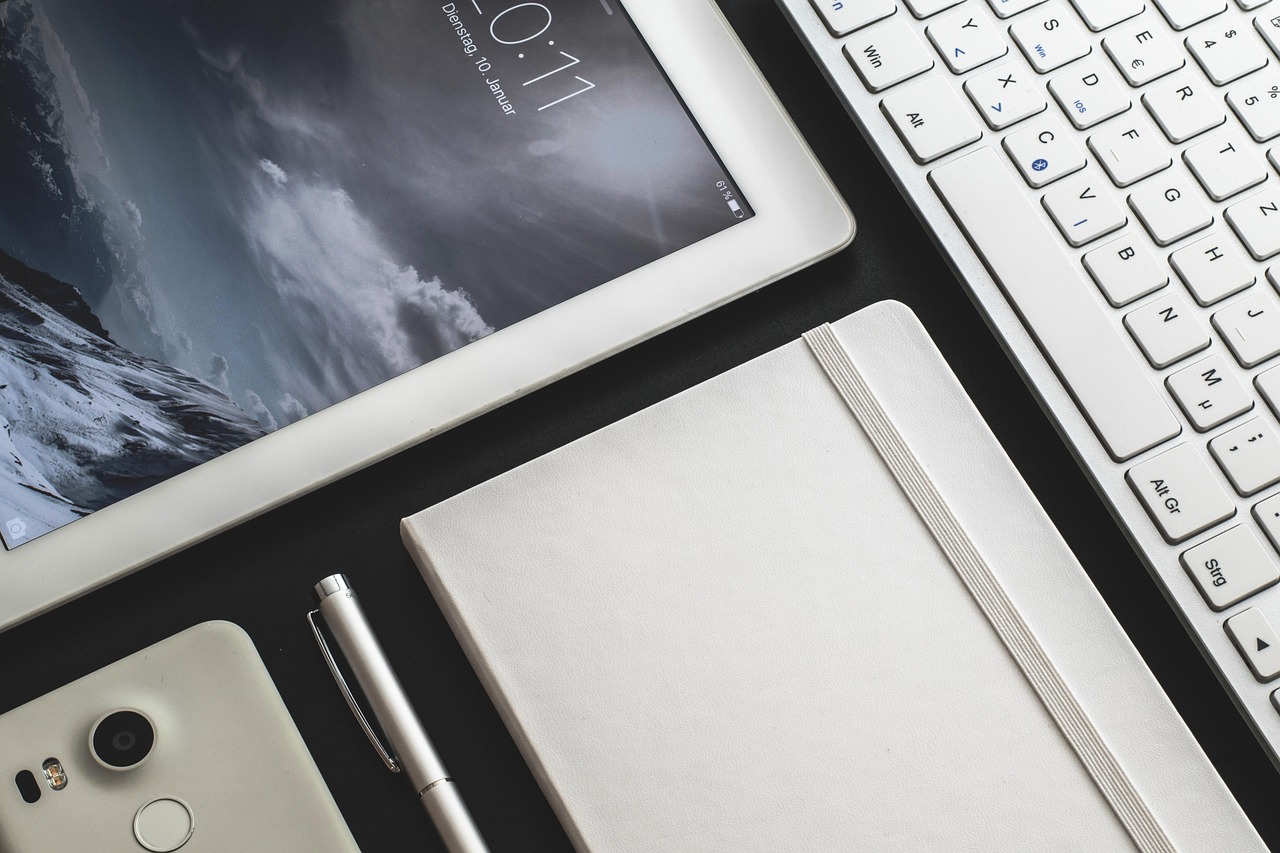
Paper Still Feels Faster
A paper notebook does not need a charger, login, update, screen protector, or Bluetooth pen. You open it and start writing. That small point can matter in a meeting that begins in a rush, at a front desk, or on a train when your bag is sitting on one knee. Paper also leaves a clear physical record, so you can often find an old note by the coffee mark, a folded corner, or a sticky note still sitting on the page.
Your Best Choice Depends on the Task
It is not useful to treat this as one tool beating the other in every case. A tablet is better for storage, search, PDF marking, and mixed media. A paper notebook is better for quick notes, quiet focus, sketching, and simple planning. For many users, the most workable setup is one main tool plus a backup notebook for rough, fast, or private notes.
Is a Notebook Tablet Better for Study and Class Notes?
For study, a notebook tablet looks useful because textbooks, slides, handwritten notes, screenshots, and recorded files can sit in one place. But learning is not just saving information. Students still need to work through ideas, test memory, and come back to old material without getting lost in folders.
Searchable Notes Help Review
Digital notes help when a course has many lectures and repeated terms. You can search for a formula, tag a project, or open a PDF during review. This is useful for college classes, language study, and exam prep, especially when one detail from several weeks ago is needed. A tablet also suits students who receive digital handouts, because writing on the file saves printing time and keeps pages in order.
Handwriting Supports Deeper Processing
Research still gives paper a real place in study work. In a 2014 Psychological Science article, Pam Mueller and Daniel Oppenheimer found that students taking longhand notes did better on conceptual questions than laptop note takers. Their point was direct: typing can lead people to copy words, while handwriting makes them shorten, choose, and restate ideas. A paper notebook supports that slower note habit in a natural way. (doi.org)
One Hour of Digital Learning Is a Useful Line
Digital devices are not automatically bad for school. OECD PISA 2022 results found that students who used digital devices for learning at school up to one hour per day scored 24 points higher in mathematics than students who used none, on average across OECD countries. After socio-economic factors were considered, the difference was still 14 points. The same report also found the link became negative beyond one hour, so the simple working rule is to use the notebook tablet for clear learning tasks and close it when the screen starts taking attention away. (oecd.org)
Can Paper Notebooks Beat Tablets at Work?
Work notes are different from class notes. You may need to record decisions, action items, prices, names, diagrams, or rough ideas while still paying attention to people in the room. A notebook tablet can work very well here, but paper often feels more polite and less distracting.
Meetings Need Fewer Distractions
In many offices, opening a tablet may look like work, but it may also look like email checking. Paper gives a simpler signal. You are listening, and you are writing. You are not halfway inside a messaging app. This is why sales reps, project managers, and HR staff still keep slim notebooks in their bags, and a simple A5 or B5 notebook gives enough page space without taking over the table.
Paper Makes Quick Sketching Easy
When a discussion turns into a layout, timeline, product idea, or seating plan, paper is quick to use. There is no app menu, no layer setting, and no palm rejection issue. Dot grid and blank notebooks are good for rough drawings because they do not force every note into school-style lines. If users write with gel pens or rollerballs, paper weight matters; around 80 gsm is common for everyday writing, while thicker paper helps when ink shows through.
Tablets Win with Files and Sharing
A notebook tablet is hard to beat when the work depends on documents. You can mark a contract, send a signed page, open last month’s minutes, and add photos from a site visit. For remote teams, that is a real benefit because the file can move quickly to the next person. A good working habit is to use paper for live thinking and a tablet for records that need to be shared later.
What Should You Check Before Buying?
The best tool is the one people still use after the new-product interest is gone. Before buying a tablet or ordering paper notebooks for school, office, or resale, check the points that affect daily comfort. Small details often decide whether note taking feels smooth or annoying.
Pen Feel and Page Size
For a notebook tablet, test the stylus feel if possible. Some glass screens feel slippery, so a matte screen protector may help. Also check latency, palm rejection, and whether the pen needs charging, because these details affect long note sessions. For paper, page size comes first: A6 is pocketable, A5 suits daily notes, B5 gives more room for study, and A4 works for diagrams or office records. Bigger pages look useful at first, but they are not always pleasant to carry all day.
Battery Life and Storage
Tablet buyers should look beyond the screen size. Battery life, charging cable type, storage space, and cloud sync all affect real use. A student who keeps scanned PDFs and lecture notes may fill storage sooner than expected, while an office user may care more about secure file sharing. If the device dies at 3 p.m., even a good app cannot help, and paper wins that battery test every time.
Cover Stock Binding and Paper Weight
For paper notebooks, check the cover and binding by hand if samples are available. Spiral binding lies flat and works well on desks. Stitched or glued binding looks cleaner for gifts and office sets. Hard covers protect pages in bags, while soft covers keep weight down. Paper weight affects ink behavior, so buyers who sell stationery should match paper to likely pens and not only compare page count. A cheap notebook with weak paper can hurt repeat sales faster than a slightly higher unit price. See also: Gift Guide.
How Do Costs and Sustainability Compare?
Cost is not only the price paid at checkout. It also includes replacement cycles, accessories, repairs, refills, lost notes, recycling options, and how often the product is actually used. Sustainability also needs a practical view because paper and electronics create different types of impact.
Upfront Price vs Repeat Purchases
A notebook tablet usually has a high first cost. Add a stylus, case, keyboard, screen film, app subscription, or cloud storage, and the total cost can go up quickly. Paper notebooks cost less per piece, but heavy users may go through many in a year. For schools, events, training programs, and promotional gifts, paper is still easier to budget in bulk, while a tablet may pay back for one professional who reads many PDFs and wants better file control.
Paper Recycling Has Real Public Data
Paper is not impact-free, but it has a well-built recycling stream. The U.S. Environmental Protection Agency reported that paper and paperboard recycling reached 68.2% in 2018, equal to about 46.0 million tons. The same EPA overview listed total U.S. municipal solid waste generation at 292.4 million tons that year. A recycled or recyclable notebook is not a perfect answer, but it is a practical part of a lower-waste stationery plan. (epa.gov)
Long Product Life Matters
A tablet becomes more sustainable when it replaces printing, lasts for years, and avoids early replacement. A notebook becomes more sustainable when it uses responsible paper, durable binding, and page layouts that people actually finish. Waste often starts when the product does not match the user. A heavy planner that stays blank is worse than a simple lined notebook used from cover to cover, and purchasing teams should keep that in mind when selecting stock.
Which Choice Fits Different Users Best?
There is no single answer for every buyer. The right notebook tablet or paper notebook depends on age, writing style, workplace rules, school requirements, and even personal habits. Some people like tidy digital folders, while others remember ideas by where they sat on a page.
Students Need a Mixed System
Students who receive digital slides can use a tablet to annotate files, then use paper for summaries, problem solving, and exam review. This pairing works because it separates collecting information from thinking through it. Pew Research Center’s October 2025 survey also shows that print is still part of learning culture: 64% of U.S. adults said they had read a print book in the past 12 months, while 31% had read an e-book and 26% had listened to an audiobook. Paper still has a clear role in study life. (pewresearch.org)
Office Teams Need Clear Rules
Teams can avoid note confusion by setting simple rules. Use paper for brainstorming and confidential first drafts. Use tablets for shared minutes, signed PDFs, and project archives. If notes need to become tasks, add a five-minute transfer habit after each meeting, because the habit matters more than the tool. A notebook full of action items is not useful if nobody copies the deadline.
Gift Buyers Need Simple Practical Sets
For gifts, events, and resale, paper notebooks are usually the safer choice. They fit many age groups, need no tech support, and can be packed with pens, sticky notes, folders, or sports-themed stationery. Neutral colors work well for corporate use, brighter covers suit school markets, and thicker paper fits premium sets. A tablet is personal and expensive, while a good notebook is easy to accept, easy to carry, and not awkward to give.
FAQ
Q1: Is a notebook tablet better than a paper notebook for students? A: It is better for storing slides, PDFs, and searchable notes. Paper is often better for summarizing ideas, solving problems, and reviewing without distractions. Many students get better results by using both.
Q2: Does handwriting on paper help memory? A: It can help because handwriting often makes you choose and rephrase information instead of copying everything. The result depends on your habits, subject, and review method.
Q3: What size paper notebook is best for daily use? A: A5 is the most practical daily size for many users. It gives enough room for notes but still fits most bags. B5 is better for study, and A6 works for quick pocket notes.
Q4: Is a tablet cheaper than buying notebooks? A: Usually not at the start. Tablets cost more upfront and may need accessories. They can save money later if they replace printing, scanning, and file storage for heavy users.
Q5: What should you buy for office gifts or school supplies? A: Paper notebooks are usually the safer choice. They are simple, useful, budget-friendly, and easy to pair with pens or stationery sets. A notebook tablet is better for a specific user who works with digital files every day.